


Sensory App Store
Sensory Readable Suite Education Licence - Text to Speech for Dyslexia
Sensory Readable Suite Education Licence - Text to Speech for Dyslexia
SKU:SW202
Couldn't load pickup availability


What is Sensory Readable Suite?
Sensory Readable Suite for Windows is offline text-to-speech software that reads aloud the words under your mouse cursor. It helps dyslexic learners and anyone with slower reading speeds to access text on screen, and it highlights each word as it is spoken in Microsoft Office.
This Education Single User Licence is a perpetual licence for one user or entity, such as a school, and can be installed on up to three computers. The software runs on the computer itself, so no text is sent to the cloud.
How it helps
Listening while reading reduces the effort of decoding long passages. Sensory Readable gives real-time spoken feedback in Microsoft Office and other Windows apps, acts as a proofreader for writing and dictation, and supports research, revision and reading practice.
For schools
- Supports SEN provision and the graduated approach with a tool learners can use independently across subjects.
- Includes Sensory PDF Reader for worksheets, reading packs and accessible PDF papers.
- Works offline, which suits school networks and devices with restricted internet access.
- A perpetual licence means no annual renewal for this single user licence.
For parents and home use
- Helps with homework by reading web pages, documents and emails aloud.
- Builds independence and confidence, so learners rely less on an adult to read for them.
- The Mac version is included, so the licence can follow a learner across Windows and Mac.
Support for dyslexia, visual stress and wider SEND needs
For dyslexic readers, hearing text read aloud while following the underline-highlight reduces reading fatigue and helps with tracking. For learners with visual stress (Meares-Irlen), Sensory Tint changes the colour of the screen and Sensory Ruler gives an adjustable on-screen reading ruler to keep their place. Learners with wider SEND needs and general education users benefit from a calm, simple toolbar that works across everyday apps.
Supplied by a UK specialist
The Dyslexia Shop supplies Sensory software to schools, families and workplaces across the UK. If you need several licences or a whole-school site licence, please get in touch and we will help you choose the right option.
- Real-time spoken feedback of the text under the mouse cursor, so learners can listen while they read.
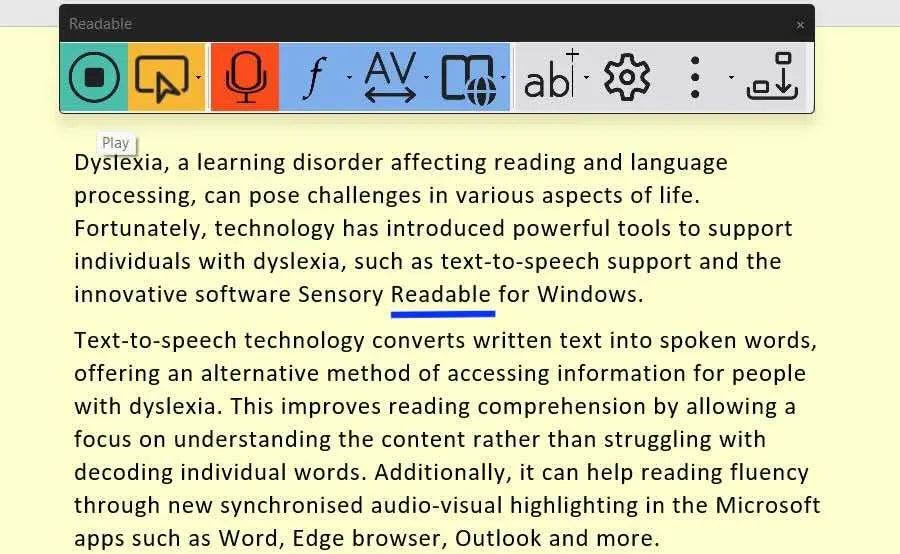
- Underline-highlighting in Microsoft Office, helping readers track each word as it is spoken.
- Proofreader for writing and speech dictation, so learners can hear and correct their own work.
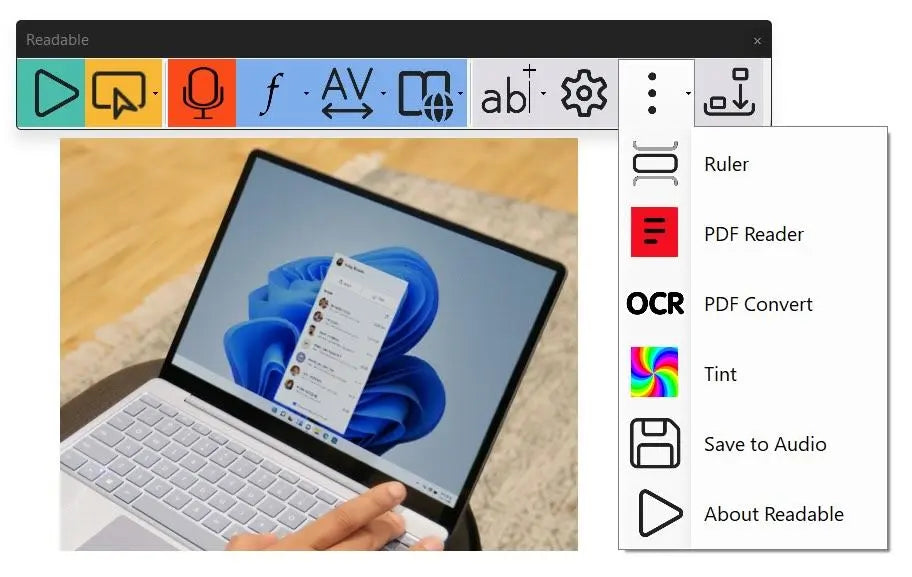
- Sensory PDF Reader for general PDF documents and exam papers.
- PDF Convert turns scanned images and PDFs into readable text using local OCR.
- Sensory Tint and Sensory Ruler for visual readability on screen.
- English natural voices installed locally, plus access to over 300 Microsoft cloud voices (internet required).
- Sensory Writeable for Windows included with this education licence.
- Licence: perpetual, education, single user or entity, up to three computers.
- Compatible with Windows 10 and 11; Mac version for Apple M1 or later.
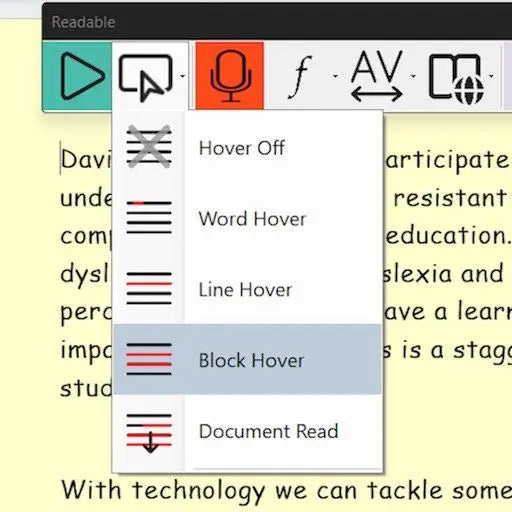
- Reads any on-screen text aloud. Hover the mouse and Sensory Readable speaks the words, with word-by-word highlighting in Microsoft Office.
- Five tools in one licence. Text-to-speech, Sensory PDF Reader, PDF Convert, Sensory Tint and Sensory Ruler for dyslexia and visual stress.
- Works fully offline. Installed software with no cloud processing, so learner documents stay on the computer.
- Windows and Mac included. The licence covers up to three computers and includes the Readable Suite for macOS download.
- No yearly renewal. A perpetual licence with 12 months of email support, supplied by a UK specialist retailer.
Software, Apps and Updates
Supplied as a Sensory Readable Suite .EXE installer for Windows, with version updates available through the manual updater in the About box, plus the Readable Suite for macOS (.dmg) download. A unique licence key is supplied.
Compatibility
- Windows 10 and 11. Recommended: Intel i5, 8 GB RAM, 256 GB storage.
- macOS on Apple M1 or later.
- Administrator rights are required to install.
Support
Every licence includes 12 months of remote support by email from Sensory App House.
Delivery and Returns
This is a digital product and nothing is posted. Your licence key and download details are supplied by email. See our Delivery and Returns page for full details.
- What is Sensory Readable Suite for Windows?
Sensory Readable Suite is offline text-to-speech software that reads aloud the words under your mouse cursor. It also includes Sensory PDF Reader, PDF Convert, Sensory Tint and Sensory Ruler, so one licence covers listening, PDF reading and on-screen visual adjustments on Windows 10 and 11, with a Mac version included. - Is Sensory Readable suitable for dyslexic learners?
Yes, Sensory Readable is designed to make on-screen reading easier for dyslexic learners. Text is read aloud as the mouse moves over it, and words are underline-highlighted in Microsoft Office, which helps with tracking and reduces reading fatigue during homework, research and revision. - Does Sensory Readable help with visual stress?
Yes, the suite includes Sensory Tint and Sensory Ruler to help with visual stress, also called Meares-Irlen. Sensory Tint changes the colour of the screen, and Sensory Ruler places an adjustable coloured reading ruler over the text so readers can keep their place. - How many computers does the education licence cover?
The Education Single User Licence covers up to three computers for a single user or entity, such as a school. For installation on every computer a school, college or university owns, an education site licence is available instead. - Can schools use Sensory Readable in the classroom?
Yes, schools can use Sensory Readable to support SEN provision across subjects. It works offline, reads text in Microsoft Office and other Windows apps, and includes Sensory PDF Reader for worksheets and accessible PDF papers. Larger settings may prefer a site licence covering all school-owned computers. - Can my child use Sensory Readable at home?
Yes, the education licence can be installed at home on up to three computers. Children can listen to web pages, documents and emails while they read, which supports homework and builds independence. The Readable Suite for macOS download is included for families who use a Mac. - What age is Sensory Readable suitable for?
Sensory Readable suits any learner who can use a mouse and a computer, from primary school through to post-16 and adult study. The toolbar is simple to use, and voices and reading speed can be adjusted to suit each reader. - Does Sensory Readable need an internet connection?
No, Sensory Readable works offline using natural voices installed on the computer. An internet connection is only needed if you choose to use the optional Microsoft cloud voices, which offer over 300 additional voices. This makes it well suited to school networks and homes with limited internet access.