


C-Pen
C-Pen Reader 3 – Reading Pen for Dyslexia
C-Pen Reader 3 – Reading Pen for Dyslexia
SKU:EL382
Couldn't load pickup availability


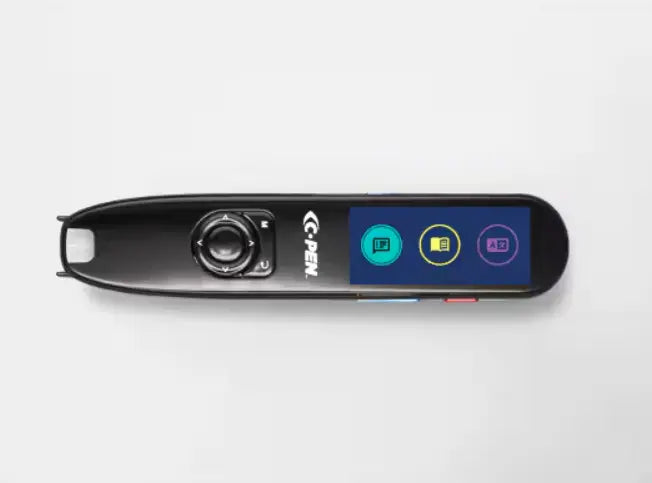
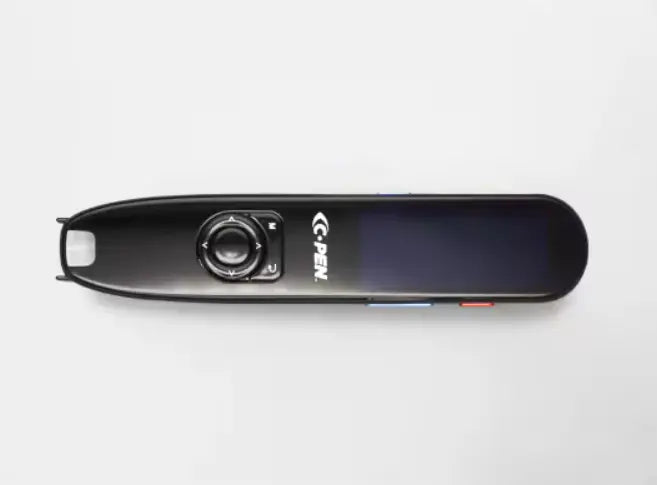
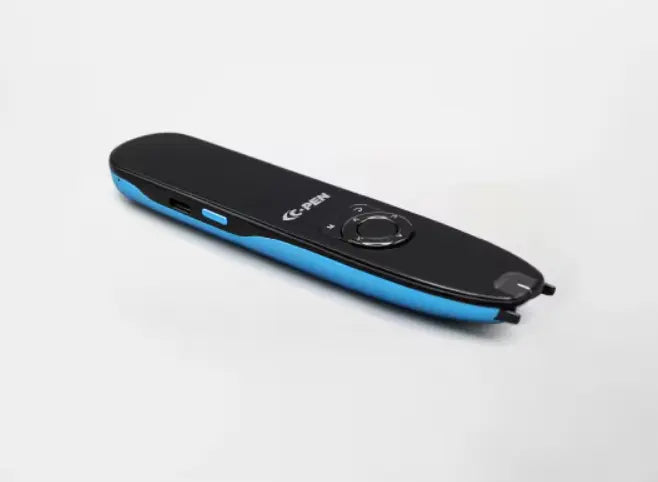
A reading pen that supports independence
The C-Pen Reader 3 is a portable scanning pen designed to make printed text accessible for anyone who finds reading difficult. Built by C-Pen, the original scanning pen manufacturer, it reads text aloud in a clear, natural-sounding voice, provides instant word definitions, and supports reading in multiple languages – all without needing a phone, tablet or laptop. Whether it's a textbook, worksheet, exam paper or letter, the Reader 3 can help unlock it.
How it helps
Scan a line of text and the Reader 3 reads it back through its built-in speaker or earphones, with the words highlighted on screen as they are spoken. Users can scan single words for a definition or full paragraphs for fluent reading support. Scanned text and voice notes are saved in the device's internal memory (up to 3GB) and can be transferred to a computer for study or review. The 2.3-inch colour touchscreen uses a smartphone-style interface, which makes it straightforward to navigate without any specialist training. With over 8 hours of battery life per charge, it will last through a full school day.
Why it works in schools and classrooms
- No internet required for core reading support – the Reader 3 works offline in five embedded languages (English, French, Spanish, Italian and German), so it functions reliably in classrooms, libraries and exam halls without relying on school Wi-Fi.
- Supports EHCPs and intervention plans – provides consistent, non-stigmatising reading support that can be evidenced as part of an individual's provision, helping SENCOs demonstrate appropriate adjustments are in place.
- Minimal disruption to lessons – the earphone-in mode is discreet, allowing students to access support without drawing attention or interrupting others.
- Suitable for a wide age and ability range – appropriate for older primary pupils, secondary students and adults, including those with dyslexia, EAL needs or other reading differences.
- Reduces reliance on human readers – gives students independent access to printed materials in test and revision settings, reducing the need to arrange reader support for every task.
For home use too
Parents and students will find the Reader 3 just as useful at home. It supports independent homework and reading, helps build vocabulary through its built-in dictionaries, and offers literacy practice exercises to develop skills over time. Connecting to Wi-Fi unlocks reading and translation support in over 40 languages, which makes it particularly helpful for EAL learners or families who use a language other than English at home.
If you would like to discuss whether the C-Pen Reader 3 is the right fit for your school or your child, our team is happy to help – just get in touch.
- Text-to-speech reading – scan any printed text and hear it read aloud instantly in a natural-sounding voice
- Built-in dictionaries – provides instant word definitions to support vocabulary development and comprehension
- 5 offline languages – reads in English, French, Spanish, Italian and German without an internet connection
- 40+ languages online – connect via Wi-Fi for reading and translation support in over 40 additional languages, including Mandarin
- 2.3-inch colour touchscreen – 480 x 200 resolution with smartphone-style navigation; highlights text as it is read aloud
- Built-in voice recorder – record audio notes and save them alongside scanned text for review later
- 3GB internal memory – stores up to 390,000 A4 pages of scanned text or 72 hours of voice recordings
- Literacy practice exercises – word exercises, spelling support and pronunciation practice built in
- Bluetooth 5.1 – connect wireless earbuds for discreet, private listening
- Wi-Fi connectivity – enables online language support and over-the-air software updates
- USB-C connectivity – for charging and transferring files to a computer
- 8+ hours battery life – rechargeable battery lasting a full day of use on a single charge
- Dimensions: 146 mm x 31 mm x 14 mm
- Weight: 72 grams
- In the box: C-Pen Reader 3 device, USB-C charging cable, USB-C earphones, protective carry case, user guide
- Award-winning range: successor to the widely used and award-winning C-Pen Reader 2
Technical Information
- Display: 2.3-inch colour touchscreen with 480 x 200 resolution.
- Connectivity: Wi-Fi 802.11 b/g/n, Bluetooth 5.1 (audio), USB-C (data/audio).
- Audio: Built-in speaker and USB-C earphones included.
- Dimensions: 146 mm x 31 mm x 14 mm.
- Weight: 72 grams.
- Battery: Rechargeable with over 8 hours of usage per charge.
- Can the C-Pen Reader 3 be used in exams?
The Reader 3 is not the recommended pen for formal UK exams. For exam use, the C-Pen Exam Reader 2 is the approved device under Joint Council for Qualifications (JCQ) access arrangement guidelines. The Reader 3 is designed for everyday reading support in class, at home and during revision. - Does it work without Wi-Fi?
Yes. The Reader 3 has five languages built in (English, French, Spanish, Italian and German) and reads and defines text offline. Wi-Fi is only needed to access the additional 40+ translation languages and to receive over-the-air software updates. - What font sizes and text types does it scan?
The Reader 3 is designed for standard printed text in books, worksheets, documents and textbooks. It works best with clear printed fonts at a typical reading size. Very small print or decorative fonts may not scan as reliably. - Can scanned text be transferred to a computer?
Yes. Text and voice recordings saved on the device can be transferred to a Windows or Mac computer via the USB-C cable. The device appears as an external drive when connected, so no additional software is needed. - How is it different from the C-Pen Reader 2?
The Reader 3 adds Wi-Fi and Bluetooth connectivity, an improved touchscreen interface, online language support for 40+ languages, over-the-air updates, and a built-in voice recorder with more storage. The Reader 2 remains available for users who prefer an offline-only device. - Is it suitable for younger children?
The Reader 3 is best suited to older primary-age pupils and above – roughly age 9 and up. Younger children may find the scanning technique and interface harder to manage independently. For younger learners, speaking to a SENCO about the most appropriate support tool is advisable.