


N/A
KAZ SEN/Dyslexia Touch Typing Tutor - Mac and Windows Download
KAZ SEN/Dyslexia Touch Typing Tutor - Mac and Windows Download
SKU:SW098-AM
Couldn't load pickup availability


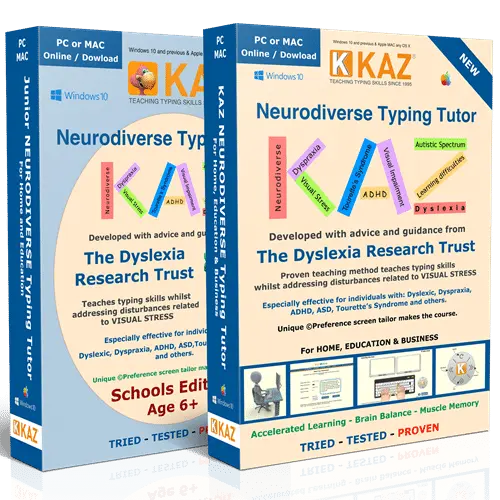
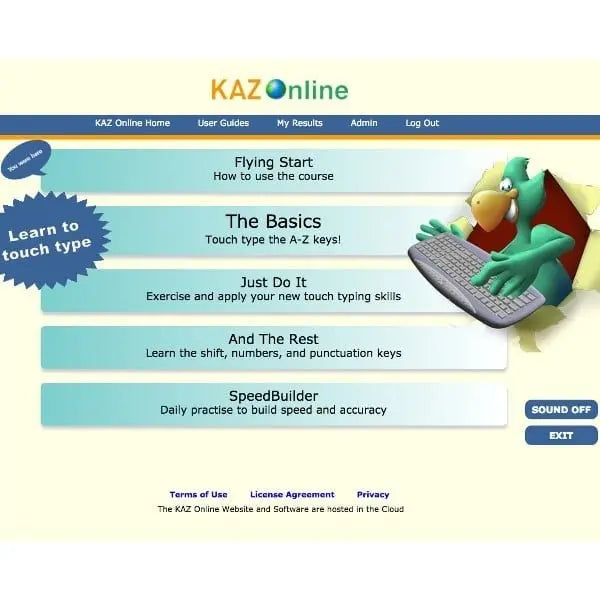
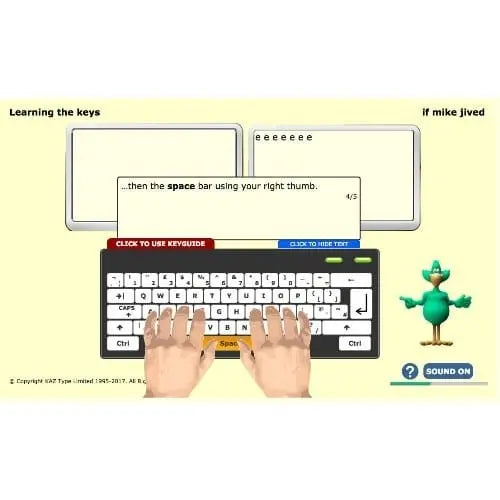
The KAZ SEN/Dyslexia Typing Tutor is a downloadable touch typing program for Mac and Windows, designed for dyslexic learners and others with additional needs. It was developed by KAZ Type Limited with advice and guidance from the Dyslexia Research Trust. It helps children and adults learn to type without looking at the keyboard, while reducing the visual discomfort that can make screen work tiring.
How the KAZ SEN/Dyslexia Typing Tutor helps
Before the course begins, a unique preference screen lets the learner choose a dyslexia-friendly typeface, font size, font colour, background or filter colour and keyboard style. Once they can read the sample text comfortably, those settings are applied throughout the whole course.
KAZ teaches the A to Z keys using specific combinations of just 11 words in 5 short phrases, rather than long, repetitive drills or games. Instruction is both spoken and written, and the course is split into short modules so your child can work at their own pace. KAZ's tests show most users complete the A to Z keys in around 90 minutes, although some take longer. KAZ suggests allowing an average of 4 hours, plus practice time, for the full keyboard.
For parents and home learning
- Learn at home, at their own pace. KAZ designed the course to be used independently, so your child can practise in short, manageable sessions.
- Junior and Adult editions. Choose Junior for younger children from age 6, or Adult for older learners, including parents who want to learn too.
- Less frustration with written work. Typing gives your child another way to get ideas down when handwriting feels slow or tiring.
- Visible progress. The program records bookmarks, speed and accuracy, so you can both see how far they have come.
- Works offline. Internet access is only needed to download and activate the software.
Support for dyslexia
Many dyslexic children find black text on a bright white screen uncomfortable, with letters that seem to blur or move. The preference screen was developed with the Dyslexia Research Trust to reduce these visual disturbances. KAZ's method also builds muscle memory, so familiar words become a pattern of finger movements, which KAZ says reduces the likelihood of transposing and misspelling words.
Support for dyspraxia (DCD)
KAZ lists the SEN/Dyslexia Edition as suitable for individuals with dyspraxia. A visual of the keyboard stays on screen throughout, encouraging your child to look up at the screen rather than down at their fingers. The method trains the fingers of both hands to work symmetrically, building technique step by step through short modules.
Why touch typing matters
Touch typing is a life skill that supports homework, coursework and later study. KAZ states that the Open University ran a year-long study of the KAZ method and went on to use it with its students for over 14 years.
If you are looking for a calm, structured way to help your child type with confidence, the KAZ SEN/Dyslexia Typing Tutor is a gentle place to start. If you have any questions about which edition suits your child, our team is happy to help.
- Preference screen: choose a dyslexia-friendly typeface, font size, font colour, background or filter colour and keyboard style for comfortable reading
- Developed with the Dyslexia Research Trust: designed to reduce visual disturbances linked to visual stress
- Accelerated learning method: uses sight, sound and touch together to help learners remember what they have learnt
- 11 words in 5 phrases: teaches the A to Z keys without repetitive drills or games
- Speaking keys and audio tuition: spoken and written instruction throughout, with a text-only option
- Progress tracking: records bookmarks, speed and accuracy
- Editions: Junior (from age 6) and Adult, each available for Mac or Windows
- Licence: single user, single device, home use; 10-year licence on the computer where it is installed and activated, with 1 year of support
- Region settings: UK and US QWERTY keyboard support, with English or US accent audio
- Format: digital download; nothing is posted
- Built around dyslexic learners. Developed with the Dyslexia Research Trust, with on-screen settings that reduce glare and visual disturbance.
- Fast, focused method. Teaches the A to Z keys with just 11 words in 5 phrases, not endless drills or distracting games.
- Made for home learning. Your child can work independently in short sessions, at their own pace, on a Mac or Windows computer.
- Long-lasting licence. The download version runs for 10 years on the computer it is activated on.
- UK specialist supplier. Supplied by The Dyslexia Shop, a family-run UK retailer focused on dyslexia and learning differences.
Software, Apps and Updates
This is installable software, not a browser-based program. Internet access is only needed to download and activate it, after which it works offline. The download licence includes 1 year of support from KAZ.
Compatibility
KAZ states the download is compatible with all versions of Windows and the latest macOS, plus most previous versions. Choose the Mac or Windows variant to match the computer your child will use. The licence runs only on the computer where it is installed and activated.
Delivery and Returns
This is a digital product, so nothing is posted. See our Delivery and Returns page for full details.
Accessibility Notes
Learners can set their preferred typeface, font size, font colour and background colour before starting, and these settings apply throughout the course. Instruction is available as audio and as text only.
- What is the KAZ SEN/Dyslexia Typing Tutor?
It is a touch typing program for Mac or Windows, designed for dyslexic learners and others with additional needs. It was developed with the Dyslexia Research Trust and uses a preference screen to make text comfortable to read. KAZ teaches the A to Z keys using just 11 words in 5 short phrases. - Is the KAZ typing tutor good for children with dyslexia?
Yes, the SEN/Dyslexia Edition was built specifically for dyslexic users. Your child can choose the typeface, font size, colours and background to reduce glare and visual disturbance. KAZ's method also builds muscle memory, which KAZ says reduces the likelihood of transposing and misspelling words. - Can KAZ help my child with dyspraxia learn to type?
KAZ lists the SEN/Dyslexia Edition as suitable for individuals with dyspraxia. The course uses short modules and an on-screen keyboard, so your child looks at the screen rather than their fingers. Typing can also give children who find handwriting tiring another way to record their ideas. - What age is the KAZ SEN/Dyslexia Typing Tutor suitable for?
KAZ states its typing tutor is suitable from age 6. Choose the Junior edition for younger children, or the Adult edition for older learners and adults. Both editions include the same preference screen and are available for Mac or Windows. - Can my child use KAZ at home without a teacher?
Yes, KAZ designed its course to be used independently and without supervision. Instructions are spoken and written, and your child works through short modules at their own pace. The program records bookmarks, speed and accuracy, so you can keep an eye on their progress together. - How long does it take to learn to touch type with KAZ?
KAZ's tests show most users complete the A to Z keys in around 90 minutes, though this is not guaranteed. KAZ suggests allowing an average of 4 hours, plus practice time, to complete the whole keyboard. Your child can take the course at whatever pace suits them. - Does the KAZ download need an internet connection?
Only to download and activate it. After activation, the KAZ download works offline on the computer where it was installed. This makes it a good choice for families who want their child to practise without being online. - Can I install the KAZ download on more than one computer?
No, each download is a single-user licence for one computer. KAZ grants a 10-year licence to run on the computer where the software is installed and activated, with 1 year of support. If your child uses more than one computer, an online subscription may suit you better.