


Sensory App Store
Sensory Scribe - Offline Note Taking Software for Dyslexia
Sensory Scribe - Offline Note Taking Software for Dyslexia
SKU:SW210-EDU
Couldn't load pickup availability


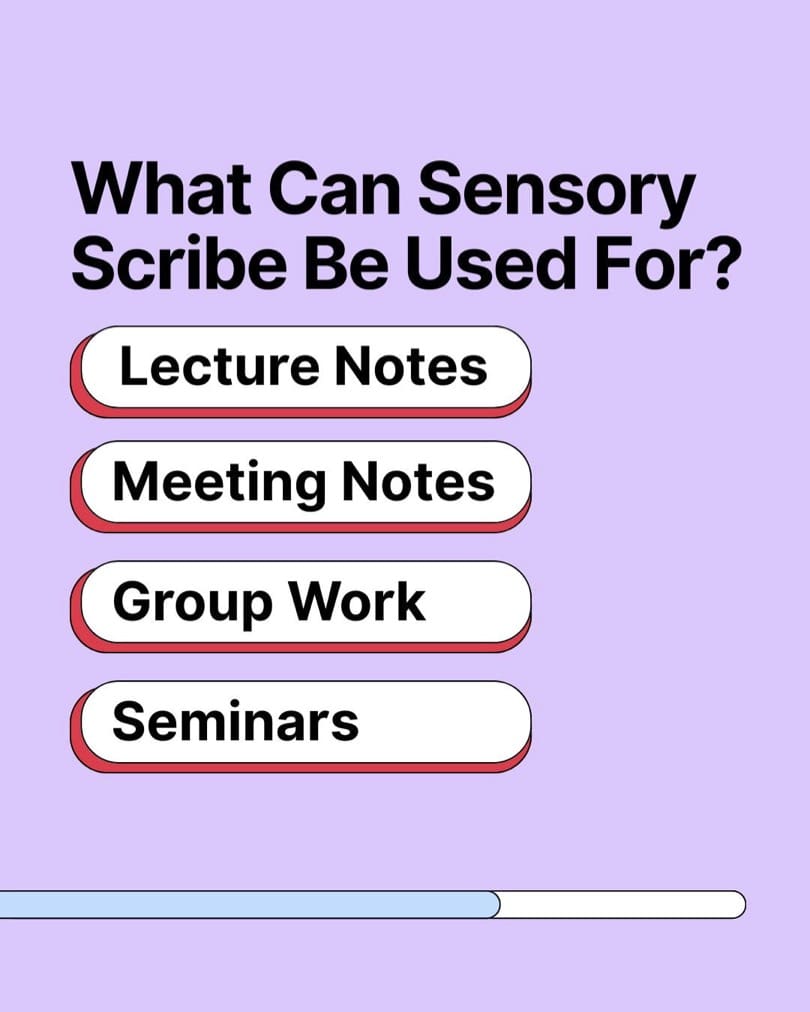
What is Sensory Scribe?
Sensory Scribe is offline note-taking software for Windows 11 that records lectures, lessons, seminars and meetings and produces a real-time transcript. It uses the Live Captions feature built into Windows 11, and all audio and text stay on your own computer.
Sensory Scribe has received DSA (Disabled Students' Allowance) product approval. It is available as a perpetual Education Single User Licence or Workplace Single User Licence.
How it helps
Listening, understanding and writing at the same time is hard for many people. Sensory Scribe records the audio as an MP3 with markers for important points, creates a searchable transcript and lets you replay any moment in sync with the text, so you can focus on the session and review it later.
For students and schools
- Captures lectures and lessons, so students can concentrate rather than copying notes.
- Display and annotate the PDF or PowerPoint slides during the session.
- DSA approved for eligible university students.
- Works offline, with no recordings sent to external servers.
For parents and home use
- Helps older learners review lessons and revision videos at their own pace.
- Transcribes existing audio and video files, turning them into searchable text.
- Builds independence and reduces the stress of missing information in class.
For the workplace
- Records and transcribes meetings, training and events for accurate notes.
- A practical reasonable adjustment under the Equality Act 2010 for employees who find note-taking difficult.
- Data stays on the PC, which suits confidential meetings.
Support for dyslexia and wider SEND needs
For dyslexic students and employees, note-taking while listening places heavy demands on working memory and writing speed. Sensory Scribe captures everything, so nothing is missed, and the searchable transcript makes review faster. Learners with wider SEND needs benefit from being able to replay explanations as often as they need.
Supplied by a UK specialist
The Dyslexia Shop supplies assistive software to students, schools and employers across the UK. Network and site licences are available on request, so please contact us for a quotation.
- Offline, on-device transcription using Windows 11 Live Captions, with no internet required.
- Records audio from the PC microphone as an MP3 file, with markers for important points.
- Transcribes the playback of existing audio and video files.
- Playback synchronised with searchable transcript text.
- Mirrors Live Captions text in a more discreet display.
- Saves typed notes as a text file and creates an SRT subtitle file.
- Display and annotate a PDF or PowerPoint file during a session.
- All files saved to the Documents folder on the PC.
- DSA (Disabled Students' Allowance) product approval.
- Licence options: perpetual Education Single User or Workplace Single User.
- Never miss what was said. Records lectures and meetings and creates a real-time transcript you can search and replay.
- Private and offline. Uses Windows 11 Live Captions on the PC, with nothing sent to external servers.
- DSA approved. Sensory Scribe has received Disabled Students' Allowance product approval.
- Helps dyslexic note-takers. Reduces the pressure of listening and writing at the same time.
- Windows, Mac and iOS. Perpetual licence with the Mac download and free iPad and iPhone companion app.
Software, Apps and Updates
- Sensory Scribe for Windows
- Sensory Scribe for Mac, included as a download with the licence (verified for Apple M1 chip or above)
- Free Sensory Scribe companion app for iPad and iPhone (iOS 16.6 or above), with an optional in-app purchase for local playback and annotation
Compatibility
- Windows 11, version 22H2 or later
- 64-bit processor, 1 GHz or faster with two or more cores
- 8 GB RAM or more
- 64 GB of available disk space or more
Delivery and Returns
This is a digital product and nothing is posted. Your licence key and download details are supplied by email. See our Delivery and Returns page for full details.
- What is Sensory Scribe?
Sensory Scribe is offline note-taking software for Windows 11 that records lectures, lessons and meetings and creates a real-time transcript. It uses Windows 11 Live Captions, saves audio as MP3 with markers, and keeps all files on your own computer. - Does Sensory Scribe help dyslexic students take notes?
Yes, Sensory Scribe helps dyslexic students by recording and transcribing lectures, so they can listen without writing everything down. The searchable transcript and synchronised playback make it quicker to review and revise from the session afterwards. - Is Sensory Scribe DSA approved?
Yes, Sensory Scribe has received DSA (Disabled Students' Allowance) product approval. Eligible university students should check the recommendations in their DSA needs assessment report before ordering, as funded equipment is normally supplied through the approved DSA process. - Does Sensory Scribe work offline?
Yes, Sensory Scribe works fully offline using the Live Captions feature in Windows 11. Audio and transcripts are saved to the Documents folder on your PC, and no data is sent to external servers for processing. - Can Sensory Scribe be used at work?
Yes, the Workplace Single User Licence lets employees record and transcribe meetings, training and events. Note-taking software is a practical reasonable adjustment for employees who find listening and writing at the same time difficult, and recordings stay on the PC. - Can my child use Sensory Scribe at home?
Yes, older children and teenagers can use Sensory Scribe at home on a Windows 11 computer to transcribe lesson recordings and revision videos. Being able to replay and search explanations supports independent study and learners with wider SEND needs. - Does Sensory Scribe work on a Mac or iPad?
Yes, Sensory Scribe for Mac is included as a download with the licence and is verified for Apple M1 chip or above. A free companion app is available for iPad and iPhone on iOS 16.6 or above. - What computer do I need for Sensory Scribe?
Sensory Scribe needs Windows 11 version 22H2 or later, a 64-bit processor of 1 GHz or faster with two or more cores, at least 8 GB RAM and at least 64 GB of available disk space.