

English Type
Englishtype Senior Typing Tutor for Dyslexia - Mac Download
Englishtype Senior Typing Tutor for Dyslexia - Mac Download
SKU:SW051
Couldn't load pickup availability


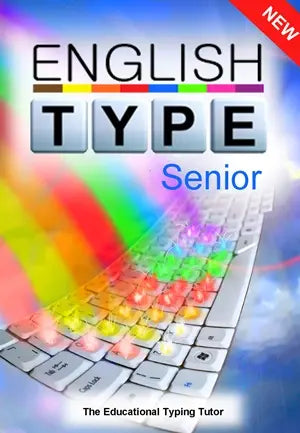
What is Englishtype Senior?
Englishtype Senior is a Mac typing tutor that teaches touch typing and literacy at the same time, recommended for learners aged over 12 up to adults. It is a version of the children's typing tutor Englishtype Junior, designed for older students, and was developed by an experienced Educational Psychologist. Many older learners struggle with handwriting and spelling together, and this programme works on both in one structured course.
How it helps
The course contains 12 lessons and 3 arcade-style games, introduced at the end of different lessons. The games are where you test what you have learned, so practice stays motivating rather than repetitive. Real words are used from Lesson 1, with no nonsense words. Vocabulary is age appropriate and useful, including the 300 most common words in adult English, plus quotations and proverbs. Three learning Options set the level: Basic for easy and essential words, Everyday for general adult vocabulary, and Advanced for more mature language.
For schools
- Works with mixed ability groups, challenging the most able while giving extra help to students with special educational needs.
- All students can use the same program at the same time, each working at their own pace.
- Supports general literacy learning alongside typing: reading, spelling, grammar and punctuation.
- Highly structured content with strong colour coding suits a graduated approach to SEN provision for secondary pupils and sixth formers.
For parents and home use
- Short, self-taught lessons mean your teenager can get on independently at home.
- Typing makes homework and coursework less of a battle when handwriting is slow or tiring.
- Spoken and written instructions mean reading difficulties do not block progress.
- A choice of background screen colours helps if bright white screens feel uncomfortable.
Dyslexia
Dyslexic learners often find spelling and reading effortful. Englishtype Senior uses a multi-sensory approach, visually simple and uncluttered presentation, and real words from the first lesson, so spelling patterns are reinforced rather than confused.
Dyspraxia and DCD
Learners with dyspraxia or DCD can find handwriting physically demanding and hard to control. A unique colour coding system builds key and finger relationships as quickly as possible, which supports accurate, automatic typing.
Touch typing frees up attention for ideas rather than letter formation, which is why it is widely taught to learners with literacy and coordination difficulties.
Available now from The Dyslexia Shop as a Mac download. If you would like to talk it through first, we are happy to help.
- 12 structured lessons: a complete touch typing course that builds accuracy step by step.
- 3 arcade-style games: introduced at the end of different lessons so learners test what they have learned and stay motivated.
- Real words from Lesson 1: no nonsense words or jibberish, so typing practice also reinforces spelling.
- 300 most common words in adult English: age-appropriate vocabulary that is useful in everyday writing, plus quotations and proverbs for interest.
- Three learning Options: Basic for easy and essential words, Everyday for general adult vocabulary and Advanced for more mature language.
- Unique colour coding system: builds key and finger relationships quickly to support accurate, automatic typing.
- Spoken and written instructions: reading difficulties do not block progress through the course.
- Choice of background screen colours: helps learners who find bright white screens uncomfortable.
- Multi-sensory, uncluttered presentation: designed by an experienced Educational Psychologist for learners who find reading and spelling effortful.
- Age suitability: recommended for learners aged over 12 up to adults, including secondary pupils and sixth formers.
- Included: the full Englishtype Senior programme, supplied as a Mac download.
- Two skills in one course: touch typing and literacy are taught together, so dyslexic teenagers and adults practise spelling while they learn the keyboard.
- Real words from Lesson 1: no nonsense words, so spelling patterns are reinforced rather than confused for dyslexic learners.
- Everyday use: a teenager can work through short, self-taught lessons at home, then type coursework instead of handwriting it.
- Set at the right level: three Options, Basic, Everyday and Advanced, let one programme stretch stronger learners and support those who need more help.
- Bought with confidence: supplied by The Dyslexia Shop, a family-run UK specialist retailer of dyslexia, SEND and assistive technology products.
What's in the Box
1 x Englishtype Senior typing tutor, supplied as a Mac download. No physical item is posted.
Software, Apps and Updates
Includes 12 lessons, 3 arcade-style games and three learning Options: Basic, Everyday and Advanced.
Compatibility
Mac version, supplied as a download.
Delivery and Returns
This is a digital download. See our Delivery and Returns page for full details.
Accessibility Notes
Spoken and written instructions, a choice of background screen colours, strong colour coding and a visually simple, uncluttered layout.
Safety and Age Suitability
Recommended for learners aged over 12 up to adults.
- What is Englishtype Senior and what does it teach?
Englishtype Senior is a Mac typing tutor that teaches touch typing and literacy together. It was developed by an experienced Educational Psychologist. The course contains 12 lessons and 3 arcade-style games, introduced at the end of different lessons. Real words are used from Lesson 1, with no nonsense words, so spelling, grammar and punctuation are practised alongside keyboard skills. - How does Englishtype Senior help dyslexic learners?
Englishtype Senior supports dyslexic learners with a multi-sensory approach and visually simple, uncluttered presentation. Dyslexic learners often find spelling and reading effortful. Real words from the first lesson mean spelling patterns are reinforced rather than confused. Spoken and written instructions mean reading difficulties do not block progress, and a choice of background screen colours helps if bright white screens feel uncomfortable. - Is Englishtype Senior suitable for my teenager at home?
Yes. Short, self-taught lessons mean your teenager can get on independently at home on a Mac. Typing skills make homework and coursework less of a battle when handwriting is slow or tiring. The three arcade-style games are where learners test what they have learned, so practice stays motivating. Vocabulary is age appropriate and useful rather than childish. - What age is Englishtype Senior designed for?
Englishtype Senior is recommended for learners aged over 12 up to adults. It is a version of the children's typing tutor Englishtype Junior, redesigned for older students. That makes it suitable for secondary pupils, sixth formers and adults who want to type accurately. Vocabulary includes the 300 most common words in adult English, plus quotations and proverbs to add interest. - How can schools use Englishtype Senior in class?
Englishtype Senior works with mixed ability groups, challenging the most able while giving extra help to students with special educational needs. All students can use the same program at the same time, each working at their own pace. Highly structured content with strong colour coding suits a graduated approach to SEN provision for secondary pupils and sixth formers, alongside Quality First Teaching. - Can learners choose a difficulty level?
Yes. Three learning Options let you choose the right level. Basic covers easy and essential words, Everyday covers general adult vocabulary, and Advanced uses more mature language. This helps a Year 8 pupil and an adult learner use the same programme appropriately. It also lets teachers set different Options across a class while everyone works through the same 12 lessons. - Does it help learners with dyspraxia or DCD?
Yes. Learners with dyspraxia or DCD can find handwriting physically demanding and hard to control. Englishtype Senior uses a unique colour coding system that builds key and finger relationships as quickly as possible, supporting accurate, automatic typing. Touch typing frees up attention for ideas rather than letter formation, which is why it is widely taught to learners with literacy and coordination difficulties. - Can typing skills be used in exams?
Exam use is decided by the exam centre in line with current JCQ regulations. Word processor use is an access arrangement, so discuss it with your school or college early and evidence the learner's normal way of working. Englishtype Senior builds the typing fluency that makes a word processor genuinely useful. Read more at JCQ access arrangements. - How is Englishtype Senior delivered?
Englishtype Senior is supplied by The Dyslexia Shop as a Mac download, so there is nothing to wait for in the post. You work through 12 structured lessons, with three arcade-style games introduced at the end of different lessons to test what you have learned. If you would like to talk it through before buying, we are happy to help.